Enterprise architecture

See the impact before you make the change

Most architecture tools show what you run. AlignX also shows why: the investment that funded it, the decision that approved it and the controls that hold it, so the architect is in the decision before the money is committed.

Agent Portal, an application at end of life, in the relationship explorer: the capability it enables and the interfaces, data and technology retiring it would touch
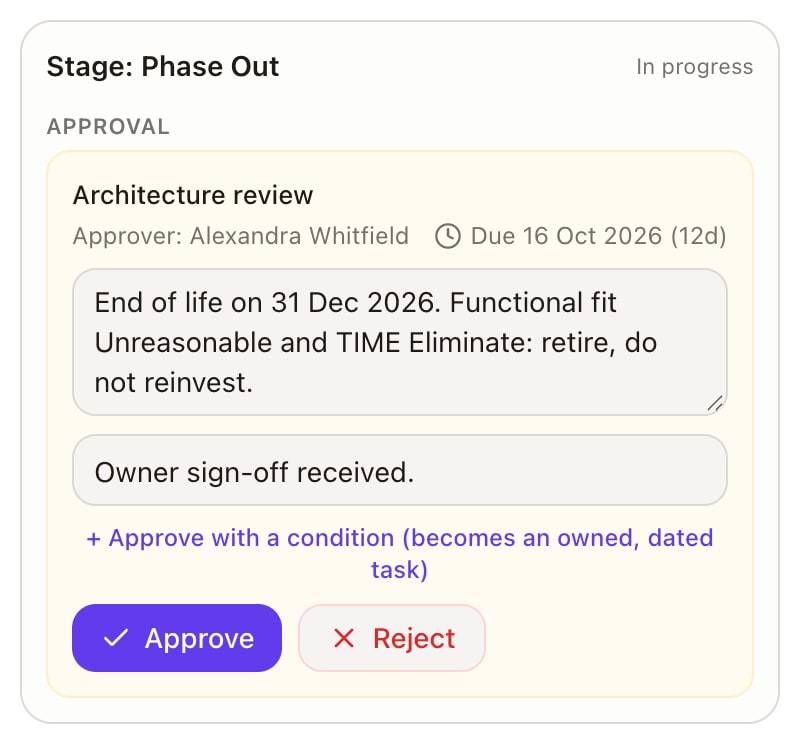
Agent Portal's lifecycle review awaiting approval, with its approver, due date and rationale

Your architecture isn't disconnected. Your decisions are.

The information already exists. It sits across repositories, spreadsheets, diagrams and meetings, so simple questions turn expensive.

What happens if we retire this application?

Someone has to find its capabilities, interfaces, data, technology and the contract behind it, by hand, before anyone can say.

What does this investment actually change?

Architects are usually asked after the option is shaped and the money is half committed.

Why did we make this decision?

The rationale is in a document, an email or a meeting, if it was written down at all.

Architecture ends up a document about the enterprise, instead of part of how it decides.

How a decision moves through the enterprise

Seven connected records, from the capability a strategy needs to the controls that hold the change to standard.

  1. CapabilityWhat the business does, as a map with levels, owners and dates.
  2. ApplicationEvery application, with its fit, its criticality and its call.
  3. TechnologyThe components it runs on, against the standards you set.
  4. DependenciesThe interfaces and data between them, and which way they flow.
  5. VendorThe contract behind each component, and when it renews.
  6. DecisionThe call that was made, why, and on whose authority.
  7. AssuranceThe controls on each asset, and any exception with its reason.

See the enterprise. Understand the impact. Make the decision.

Five views of the same records, so every answer starts from the same facts.

Applications and data

Know what changes when you change an application.

Every application with its lifecycle, fit and criticality, the interfaces and data that move through it, and the components it runs on.
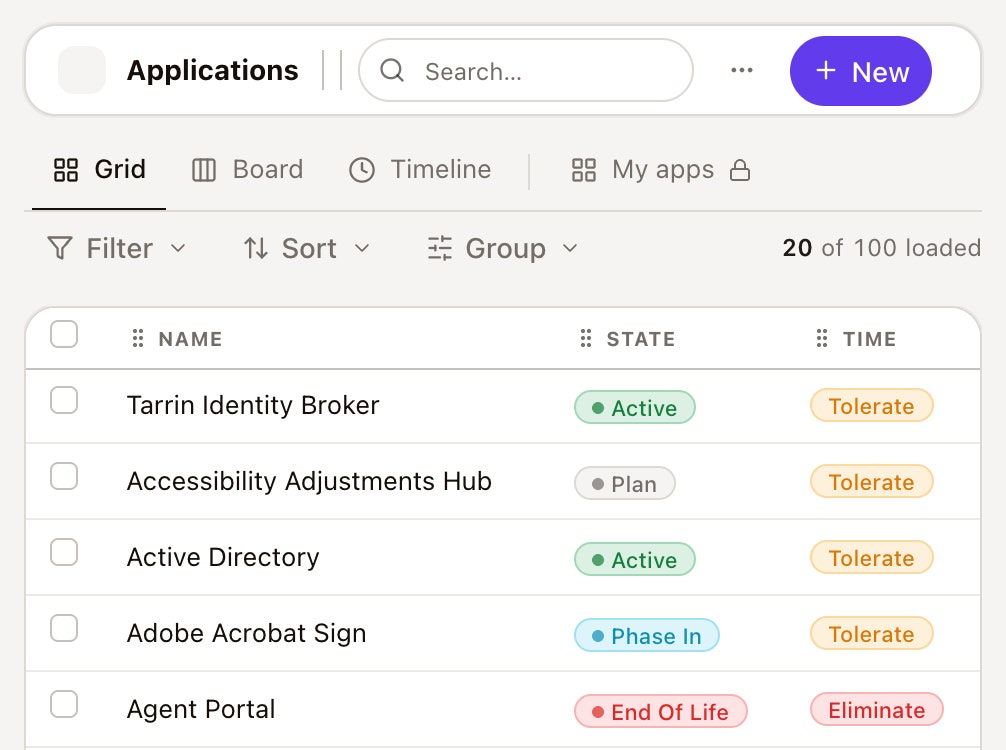
The application register: Tarrin Identity Broker, Accessibility Adjustments Hub, Active Directory, Adobe Acrobat Sign and Agent Portal with their lifecycle state and TIME call

Technology

See what sits underneath.

Components with their technical fit, hosting and single sign-on state, against the standards you run.
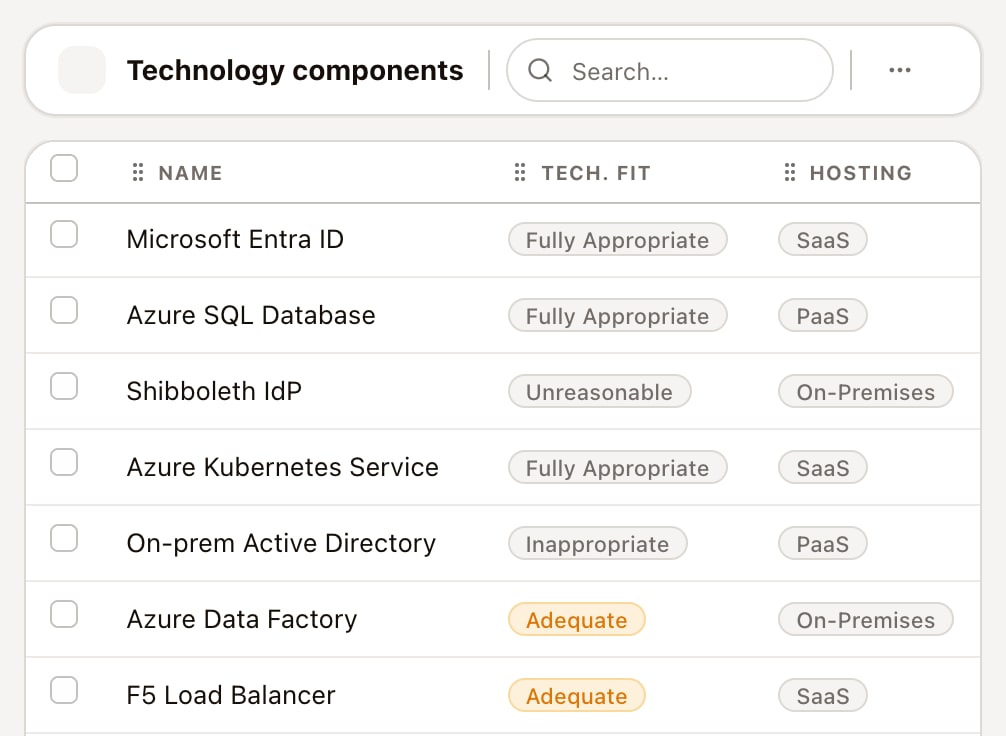
The technology component register, from Microsoft Entra ID, with technical fit and hosting

Capabilities

See the business the estate serves.

A two-level capability map with owners and lifecycle dates, linked to the applications that enable each capability.
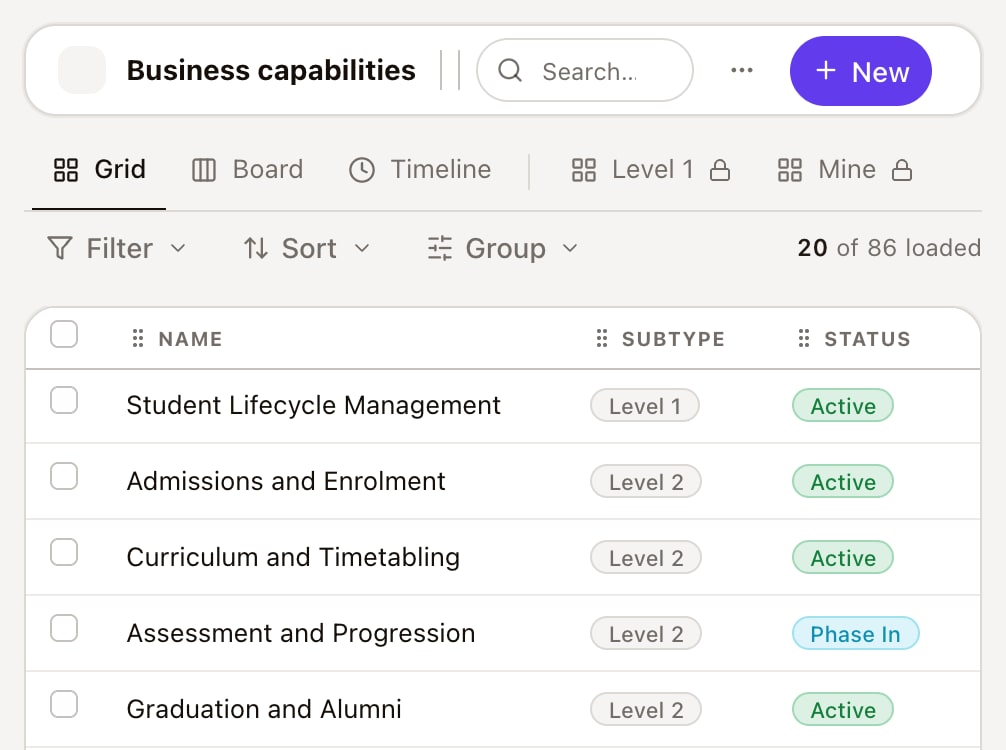
The capability register: Student Lifecycle Management at level 1 and its level 2 capabilities with their status

Vendors and contracts

Know who you are relying on.

The provider and contract behind each component, with its notice period and renewal.
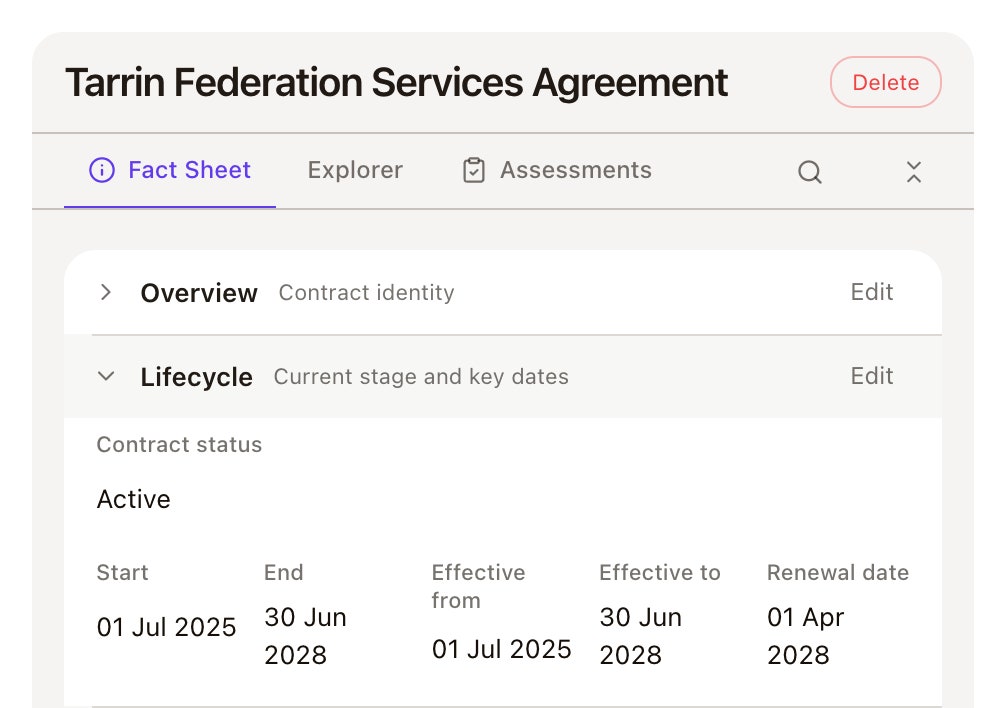
The Tarrin Federation Services Agreement: contract status Active, start, end, effective and renewal dates

Decisions and assurance

Know why it was decided, and what holds it to standard.

Decisions with their outcome, rationale and authority, and the controls, issues and risks on every asset.

Tarrin Identity Broker on its Risks tab: six linked risks, including Federated sign-in has no manual fallback

Every relationship on the record. Full context for every decision.
Architecture that changes decisions

Decide earlier

Architecture is in investment and change decisions before commitments are made.

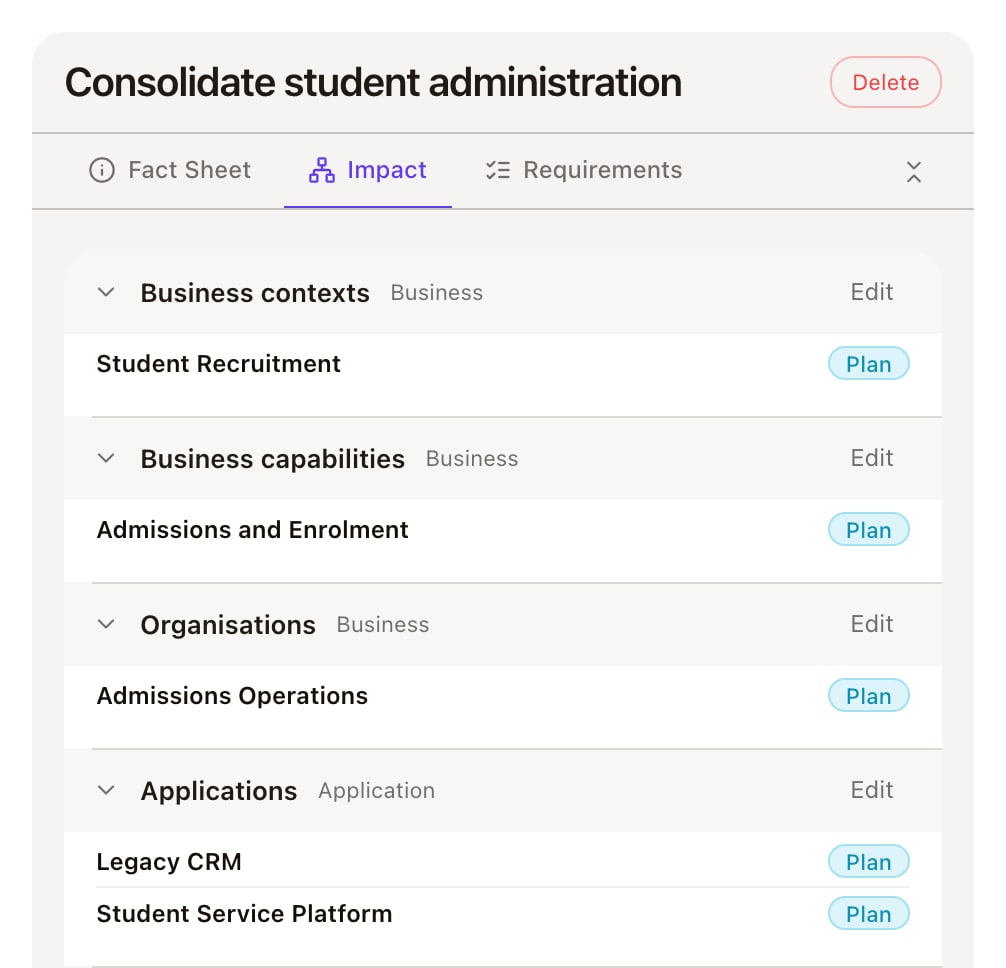
The business case Consolidate student administration on its Impact tab: the business contexts, capabilities, organisations and applications the change touches

See impact sooner

What a change touches across capabilities, applications, data, technology and vendors is known before it moves.

Reduce unnecessary complexity

Overlapping applications and those marked for elimination are visible by capability, not found in a study.

Make governance part of the work

Reviews, decisions, controls and exceptions stay on the things they govern.

Architecture shouldn't just describe the enterprise. It should help decide what happens next.

Start with the enterprise you already have

You don't need to redraw everything to get value from AlignX.

  1. Bring it in

    Bring it inYour current application, capability and technology registers, migrated rather than rebuilt.
  2. Connect what matters

    Connect what mattersThe interfaces, owners and lifecycle stages that turn a list into a model.
  3. Start with one decision

    Start with one decisionA real one: a retirement, a renewal or an architecture review. The model gets more useful with every decision made in it.

See AlignX in action

Book a 20-minute walkthrough and bring the architecture question you find hardest to answer today.

Built inside your Microsoft 365. Your data. Your controls. Your model.

Questions architects ask

  • At intake. A proposal names the capabilities and applications it will touch, so the architect sees it before the money is decided, not after.