
Capacity
Know each person's real capacity.
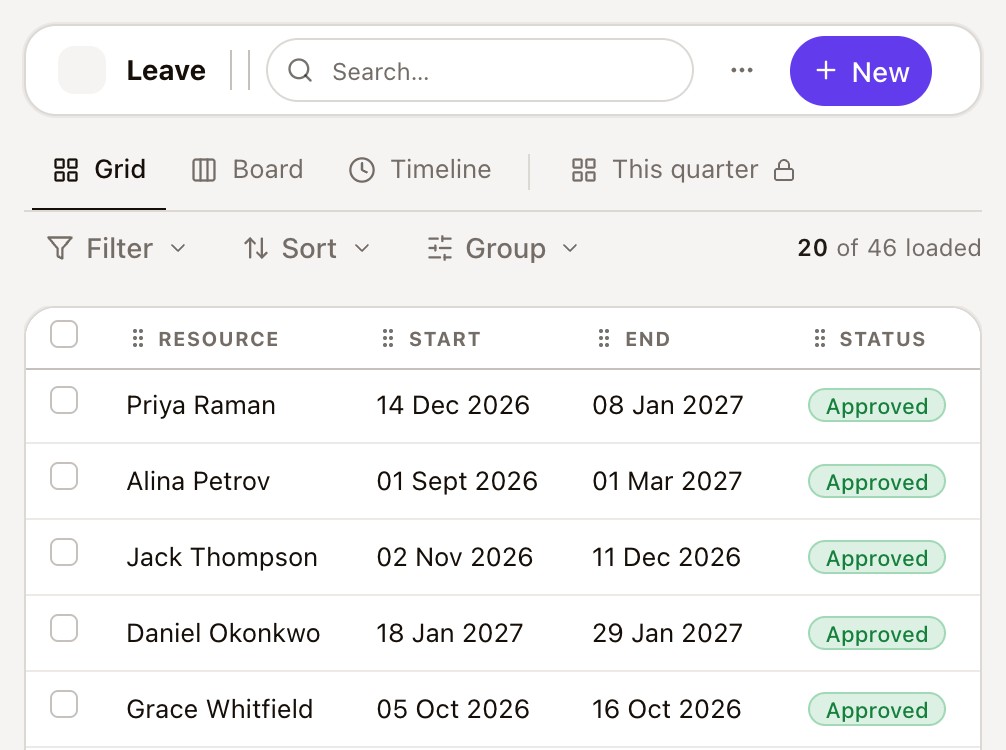
Capacity is worked out per person, per month, from their work pattern, the public holidays where they live, their leave, and their start and end dates. One calculation feeds every view.
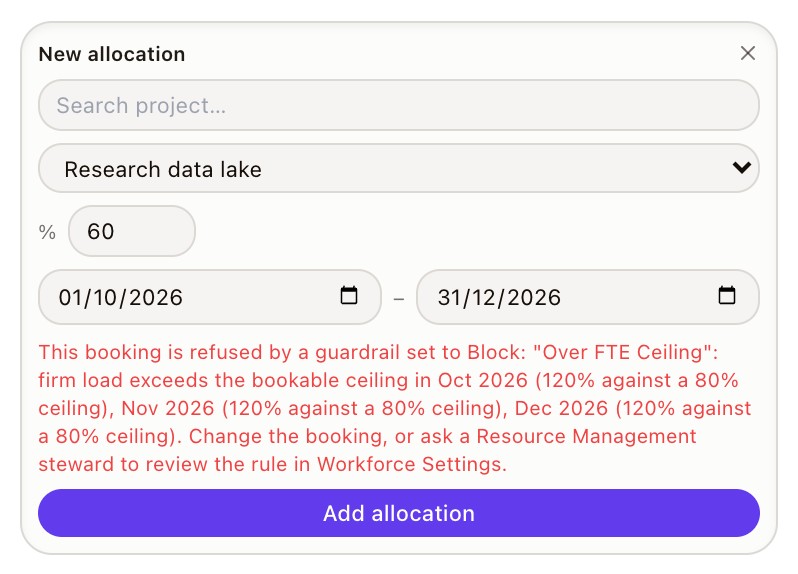
Most resource tools colour a cell when someone's overbooked. AlignX works out each person's capacity, month by month, and refuses a firm booking that goes over it, so a confirmed plan never commits more time than people have.

People, skills, leave and bookings sit in different spreadsheets, so overcommitment shows up when the work starts, not when it's agreed.
The plan counts projects, not the other work and leave already sitting on the same people.
Someone knows, but finding out means asking around and checking three calendars.
Every reshuffle is rebuilt by hand, and nobody sees what it breaks until it breaks.
So commitments get made on hope and fixed in delivery.
Seven connected records, from the people a piece of work needs to the hours they actually worked.
Project, resource and line managers work from the same capacity numbers, so a booking means the same thing to all three.
Capacity
Capacity is worked out per person, per month, from their work pattern, the public holidays where they live, their leave, and their start and end dates. One calculation feeds every view.
Allocation
A firm booking that takes someone past their capacity is refused, with the rule that stopped it named and logged. Tentative bookings still go through, so you can plan ahead.
Skills
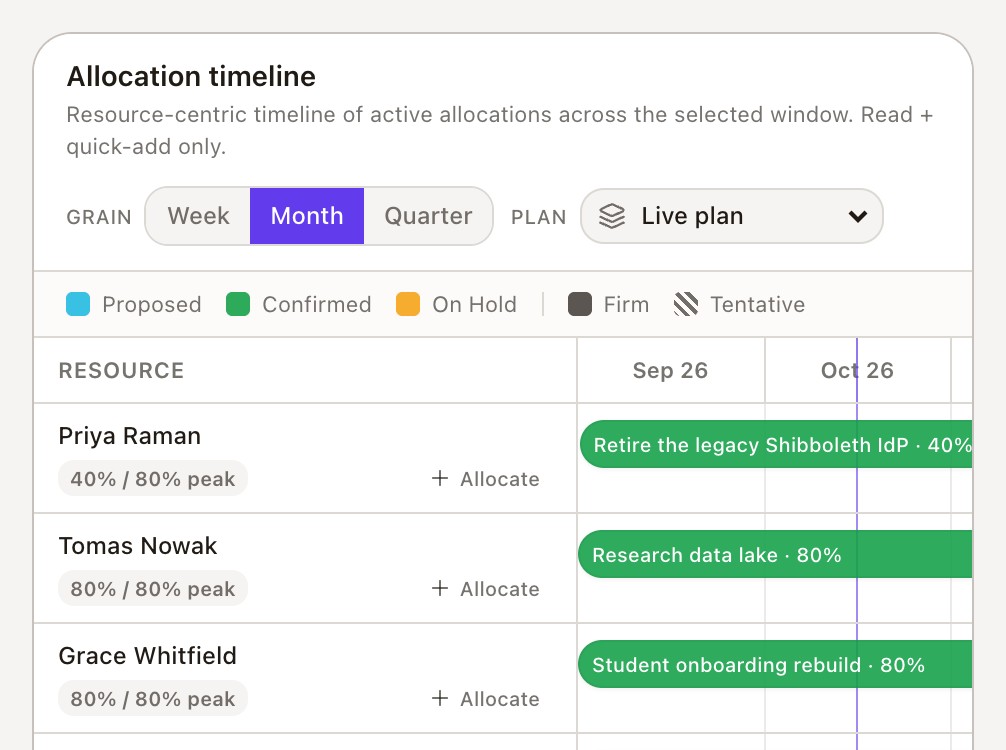
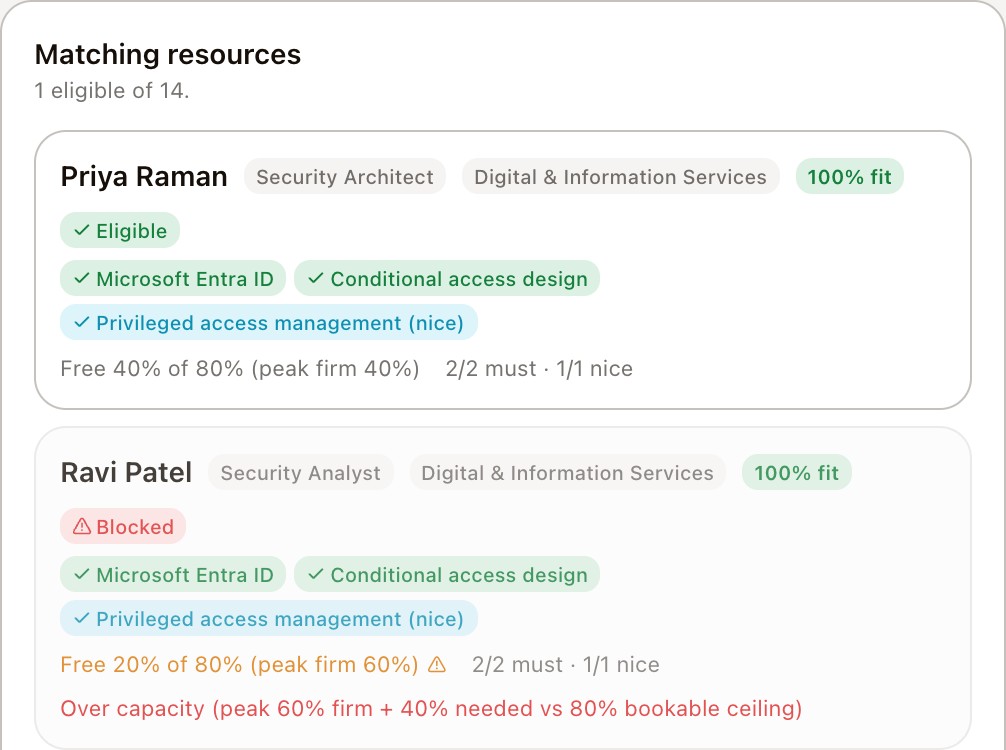
Skills are held at four levels on people, roles and requests. Search by skill, level, role and location, and see each person's free capacity month by month.
Scenarios
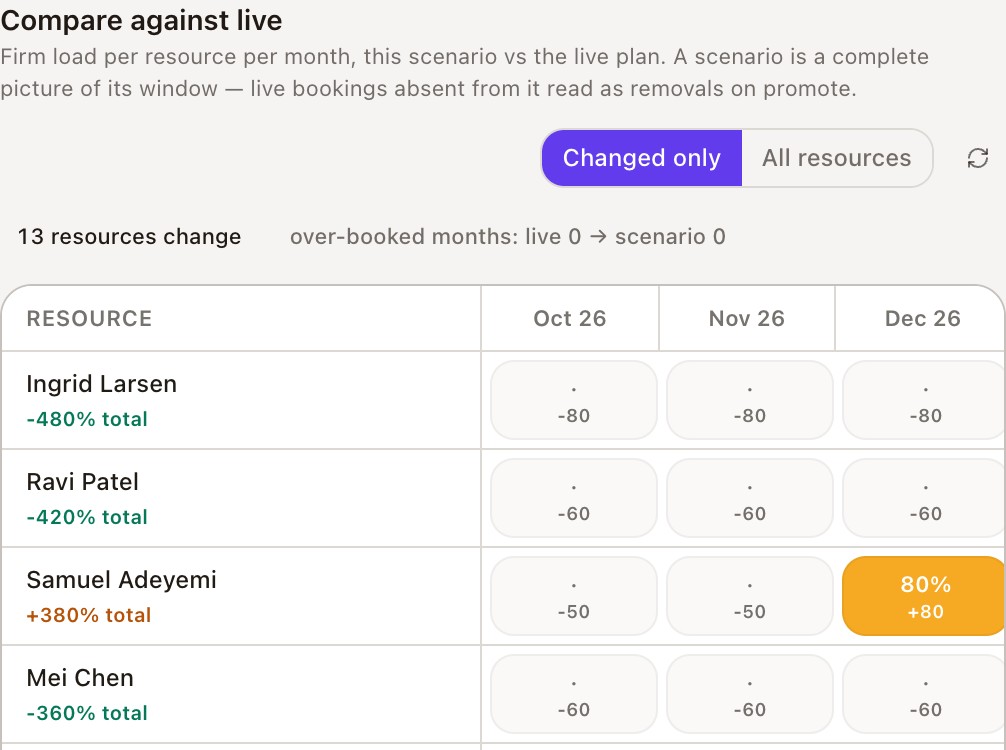
Build an alternative plan, compare it with the live one month by month, and promote it once it's agreed.
Demand and utilisation
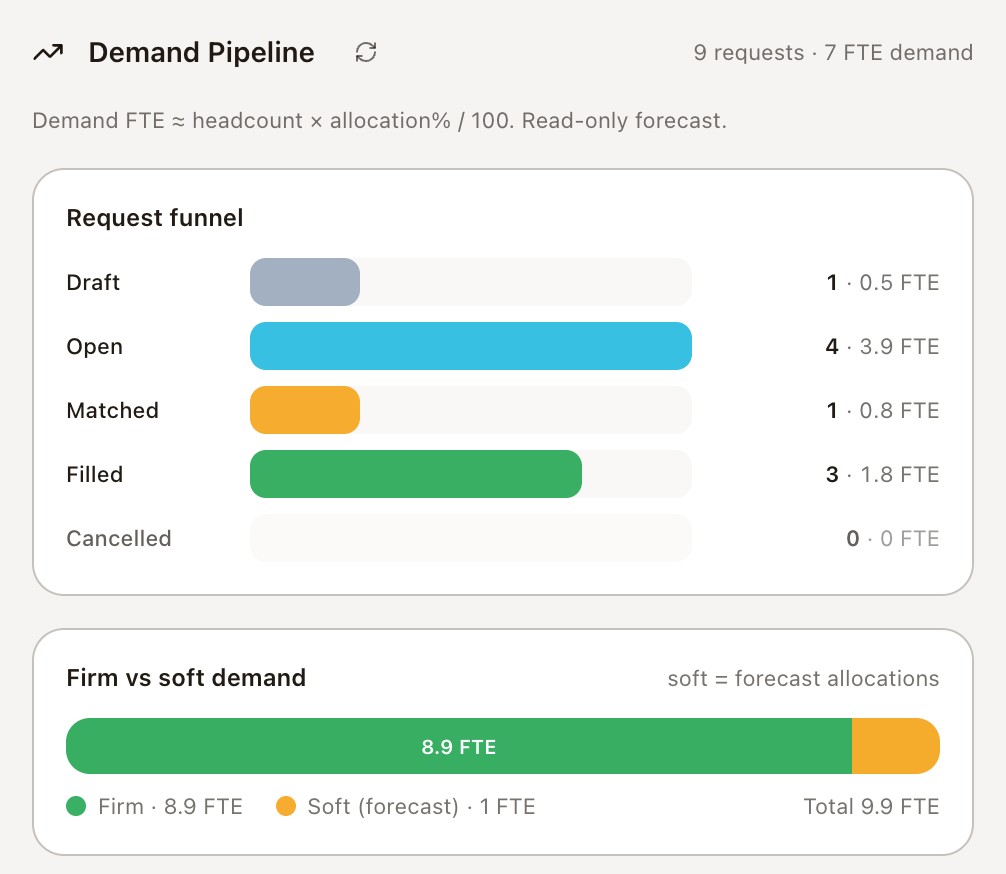
Confirmed demand and the win-weighted pipeline sit apart, so forecast work never looks committed. Time entries show hours worked against plan and against each role's utilisation target.

Every booking checked against the person behind it.
An honest pipeline
Forecast demand is visible without being counted as committed.
Work you can staff
Capacity is checked before a firm booking is made, not discovered in delivery.
Changes tested first
A new plan is compared with the current one before anyone's work moves.
A resource plan shouldn't just show who's busy. It should stop promises nobody can keep.
You don't need a new operating model to start.
Built inside your Microsoft 365. Your data. Your controls. Your people.
From their work pattern, the public holidays where they're based, leave that reduces capacity, and their start and end dates. The same calculation drives the heatmap, search, reports and the booking check.